How to automate Google review requests safely
Learn how to automate review requests without losing context, pressuring customers or creating reputation risk.
Automation does not need to feel cold
Automating Google review requests is one of the best ways to grow reputation consistently. But there is a big difference between intelligent automation and generic blasting. Good automation respects customer timing.
Start with the right trigger
Strong triggers include completed service, successful delivery, promoter NPS, solved support case or positive private feedback. Weak triggers include new signup, sent quote or no recent interaction.
Segment customers
Promoters can receive a review invitation. Neutral customers may need more questions. Detractors need recovery, not a public review request.
Where Rankke.me fits in this strategy
A direct Google review link is useful, but sending it to every customer is not always the safest strategy. The link removes friction, but it also removes context. If an unhappy customer receives that link before the company understands the problem, the business may be guiding dissatisfaction straight into a public channel.
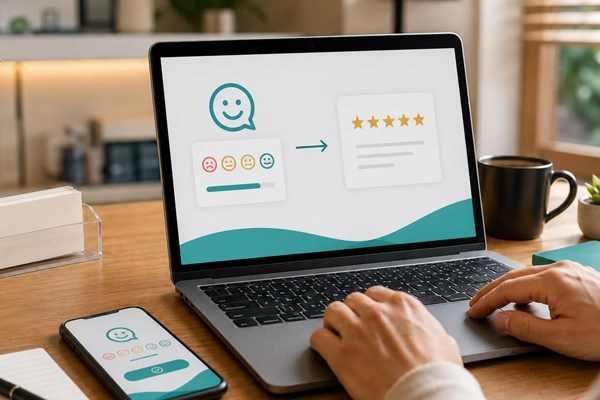
Rankke.me works one step before the Google review. The customer first enters a controlled reputation flow, answers a satisfaction question and reveals whether the experience was positive, neutral or negative. When the answer indicates satisfaction, the platform can guide that customer to Google with a clearer and more relevant request. When the answer indicates risk, the company can open a private recovery path instead of encouraging a public complaint.
This does not replace the Google Business Profile. It protects it. Google remains the visible trust point, while Rankke.me helps decide when and how to invite customers to contribute there. The result is a more consistent flow of positive reviews and less chance of turning unresolved frustration into visible damage.
For local businesses, this distinction is important. Reputation growth is not only asking more often. It is asking the right people, at the right moment, after listening first.
How to use the article in a conversion workflow
The practical conversion opportunity is to stop treating review requests as isolated messages. A business should know who receives the request, which experience triggered it, which channel delivered it and what happened afterward. Without this structure, the team may celebrate a few new reviews while missing unhappy customers who needed attention.
A safer workflow has three stages. First, listen privately with a satisfaction question. Second, separate customers by risk and enthusiasm. Third, guide satisfied customers to the public review page while routing dissatisfied customers to recovery. This protects the brand and creates a healthier review profile over time.
The result is more than a better rating. The company creates a visible proof system that supports sales, local search, paid media, referrals and the trust needed for a new customer to choose the business.
Set frequency limits
Automation needs safeguards:
- one request per completed experience;
- minimum interval between requests;
- no requests during open complaints;
- stop after negative feedback.
Track the right metrics
Monitor requests sent, link clicks, reviews generated, average rating, response time and negative reviews after requests.
Design a safe automation flow
A safe flow starts with a reliable event: completed service, confirmed delivery, high satisfaction score or solved support case. Then the system checks whether the customer has already received a recent request, whether there is an open complaint and whether the contact channel is appropriate.
Only after those checks should the message be sent. The system should also log attempts to prevent repetition and help the team understand what happened.
Multiple locations need extra care
If a company has multiple locations, each request must point to the correct profile. A wrong link distorts reporting, hurts local managers and confuses future customers.
Each location should have its own link, owner and reporting view. Headquarters can monitor the whole picture, but local teams need local data.
Signs the automation needs adjustment
If negative reviews rise after requests, review the trigger. If customers complain about the contact, review frequency and channel. If clicks happen but reviews do not appear, test the link and the post-click experience.
Good automation is not set-and-forget. It improves with data.
Governance before scaling
Before scaling automation, define who owns the flow, who can edit messages, who monitors complaints and who answers public reviews. Without governance, automation can create more noise than consistency.
Permissions matter too. Not everyone should be able to change timing, links or customer segments. A small change in a trigger can affect hundreds of customers.
A safe first version
The first version should be intentionally simple. Choose one trigger, one channel, one message and one reporting view. Run it for a few weeks before adding more conditions.
This makes learning easier. If results improve, expand gradually. If they do not, you know exactly which part of the flow to fix.
What automation should not decide alone
Automation can decide timing, channel and eligibility rules, but sensitive cases still need human attention. A low satisfaction score, an angry reply or a complaint should route to a person. The system should help the team act faster, not hide uncomfortable feedback.
The best setup combines automatic consistency with human judgment. That balance protects customers and the brand.
How to turn this topic into a routine
For a local business, this topic is practical. A customer chooses with the information they can see: reviews, comments, photos, clear services, recent replies and the feeling that other people had a good experience. These details work together to create trust before the first contact.
The first step is to map where the company appears: Google, website, social profiles, directories, marketplaces, location pages and institutional materials. Then check whether the message is consistent everywhere. A business can deliver a strong experience and still lose trust when public information looks incomplete or contradictory.
Metrics to monitor
Track what a manager can actually use: how many new reviews arrive, what customers praise, what complaints repeat, how fast the team replies and whether more people call, book, ask for directions or place orders after seeing the business online.
These indicators show whether the business is merely visible or whether it is building enough authority to be remembered, compared and recommended.
A practical 30-day plan
In week one, review the main digital presence points. In week two, organize replies and review requests. In week three, create or improve content that explains services, differentiators and common questions. In week four, compare signals before and after: reviews, comments, searches and contacts.
Progress comes from repetition. Strong reputation is built when the company turns good experiences into public evidence that is easy to find.
Mistakes that reduce impact
The most common mistake is caring about reputation only when criticism appears. Another is publishing generic content unrelated to real customer doubts. It is also risky to ignore positive reviews, because they show which promises the company already fulfills.
Rankke.me helps connect satisfaction, reviews and reputation in a simple routine for local teams and multi-location operations.
Frequently asked questions
Is it safe to automate review requests?
Yes, when automation respects timing, frequency and authenticity.
Which channel works best?
It depends on the audience. WhatsApp is often strong in Brazil, while email and SMS may work in other segments.
Does automation replace service quality?
No. It makes the process consistent, but the experience remains the foundation.